Compare vendor proposals
Review two proposals against the same requirements.
AI Workspaces by BiG Impact Group
Your people are already trying AI. Give them a place built around your knowledge, your standards, and the work they need to do.
Bring models, custom agents, and connected tools into one AI Workspace. Create internal Studios for employees and external Studios for the people you serve.
From a use case to a working tool
AI Workspaces bring selected agents and approved knowledge into one place for staff, customers, residents, or members.
Review two proposals against the same requirements.
Help someone find the right service and next step.
Apply your organization’s approach to a difficult conversation.
Actual Studios. Real organizations.
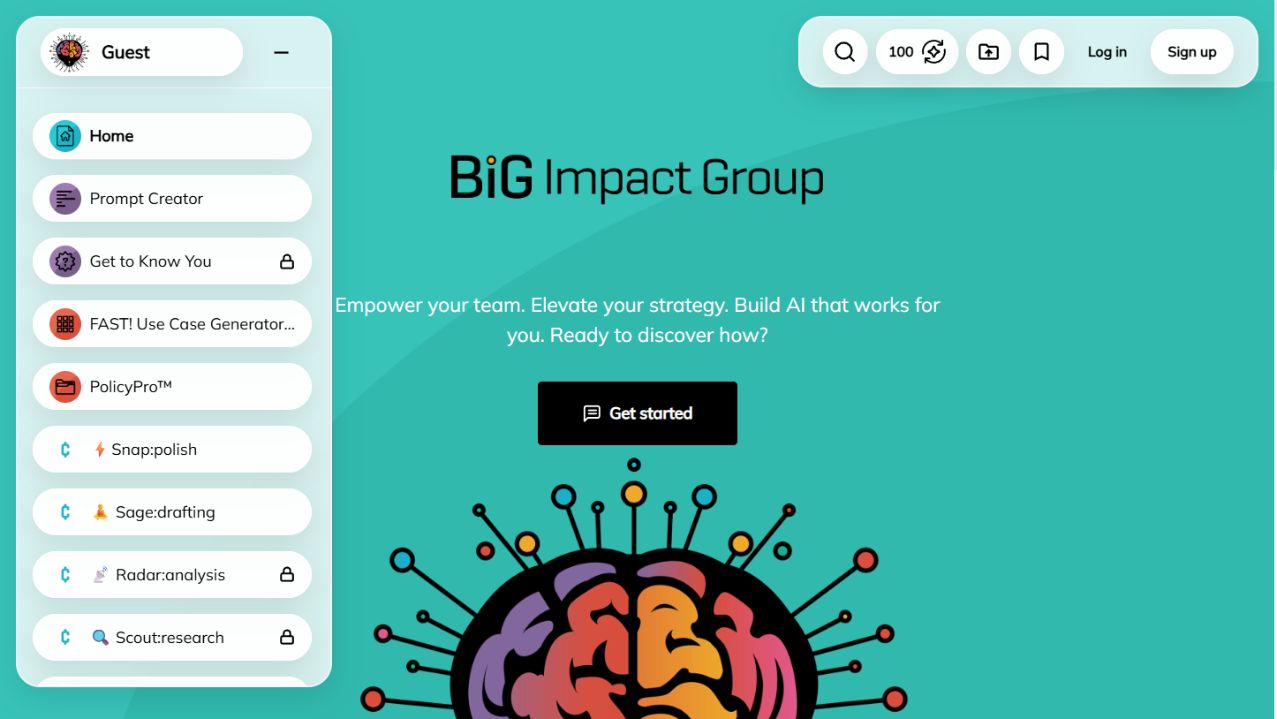
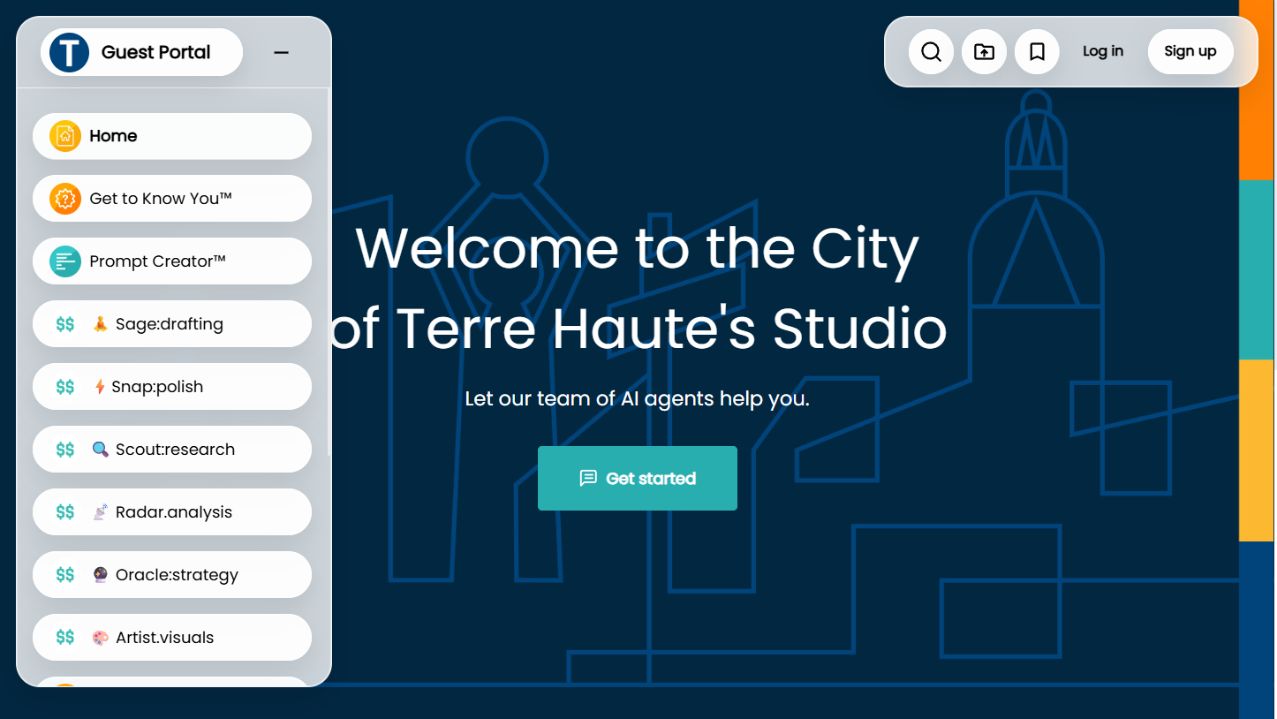
Your domain, visual identity, pages, and navigation. A branded destination for your users.
Curate agents for research, writing, analysis, visuals, and the work your people need.
Choose the agents, resources, and access for each audience within your workspace.
These are real guest-facing Studio screens. Each Studio's branding, agent selection, and access are configured for its audience.
One platform. Different audiences.
Your staff and your customers need different information. Give each group the tools and access intended for them.
Internal Studios
Bring department knowledge, preferred models, and agents into one place. Configure invitation-based access for employees and selected collaborators.
Policy guidance. Research and analysis. First drafts. Tools with instructions built around your work.
Employees · Departments · Project teams
External Studios
Offer customers, residents, members, and partners an AI destination under your brand. Choose public access, membership, or invitations.
Service guidance. Member resources. Training and client tools. Each experience has its own purpose.
Customers · Residents · Members · Partners
The agents inside your workspace
Start with the work. Then choose the knowledge, instructions, model, and connections that agent needs.
01 / Knowledge
Help people find information in selected documents, websites, and supported sources. Keep the context close to the answer.
02 / Creation
Configure models and capabilities for research, writing, analysis, images, and other supported work.
03 / Connected tools
Look up data, submit information, send messages, or trigger workflows through configured connections.
Capabilities and actions are selected, connected, and tested for your use case. Permissions and human review are part of that setup.
Build the agent. Choose where it works.
A Studio is one destination. Your agent can also reach people through your website, communication tools, meetings, and connected software.
Your knowledge · Instructions · Model · Actions
Branded collections of agents
Pages, direct links, and embeds
Agents in the inbox
Slack, WhatsApp, Telegram, Discord
Google Meet, Zoom, Teams meetings
API and MCP
Available channels depend on the selected plan, agent type, configuration, and integrations. Each deployment's audience and access are set for its purpose.
Our workspace offerings
The platform is the foundation. Your people, audiences, and work determine what belongs in it.
01 / Your organization
Your branded AI platform. Internal and external Studios, custom agents, model choices, knowledge sources, and connected workflows.
See Workspace examples02 / Public-sector organizations
Studios for your staff and the community you serve. Shape each experience around its information, access, and public-service purpose.
Explore Public WorkspacesBiG Impact Group helps design the experience, configure agents, connect deployments, and support adoption. Our services are the help around the platform.
Explore our servicesStart with the people who will use it
Bring your audiences and the work you want to improve. Map a useful first Studio and the agents it needs. Expand when it earns its place.
Plan your AI workspaceLast updated